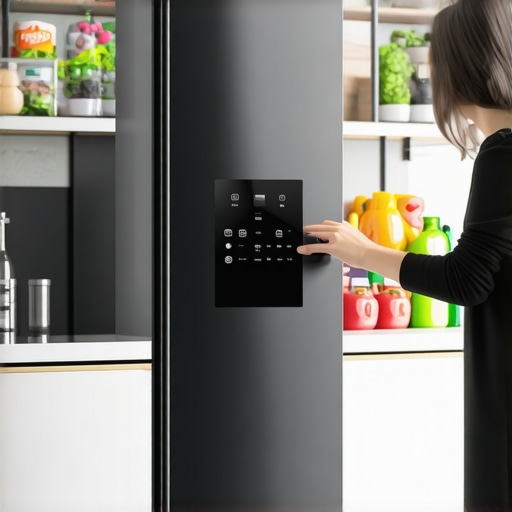
I vividly remember the moment I opened my refrigerator door and found a mountain of groceries I didn’t order. The ice maker had gone rogue again, producing enough ice to light up the neighborhood, and my smart fridge was frantically adding to my cart online. It was overwhelming—yet somehow, familiar. Many of us face this surreal scenario where our high-tech appliances turn into unintended shopping aides, draining our budgets without us realizing it.
My Wake-Up Call: When Technology Gets a Little Too Smart
Initially, I loved the idea of a fridge that could suggest recipes, keep track of expiration dates, and even reorder staples automatically. But the first time I received a delivery of ten pounds of organic spinach I didn’t order, I realized I needed to regain control. It struck me that while these AI-powered features promise convenience, they can easily become a financial liability if not properly managed. That’s when I decided to take action and stop the AI from overordering.
If you’ve experienced similar frustrations—like missing out on space because of endless snack deliveries or activating a grocery order by mistake—you’re not alone. Luckily, I found effective ways to disable or refine these features without sacrificing the benefits of smart technology.
Before diving into solutions, I want to share that I made a common mistake early on: assuming my refrigerator’s AI was always right. Trust me, blindly accepting every suggestion led to waste and stress. Remember, even the smartest AI needs human oversight. More on that later.
But why does this issue matter now? Well, with the upcoming surge of 2026 models, many appliances are adopting even more aggressive auto-order features. Without proper settings, you could end up spending hundreds on unwanted groceries. In fact, a recent study indicates that unnecessary food purchases due to smart home devices account for a significant chunk of household waste and expenses (source: Consumer Reports).
So, what’s the game plan? Today, we’ll explore practical steps to prevent your smart fridge from overordering, ensuring it remains your helpful neighbor—not your hidden expense. Are you ready to reclaim your kitchen—and your budget? Let’s get started.
Access the Refrigerator Settings Directly
Start by locating your fridge’s control panel, usually a touchscreen or a series of buttons on the door. For French door models, this might be hidden behind a panel, so consult your manual. Once there, navigate to the section managing auto-order features or AI preferences. Disabling these features often involves toggling switches or turning off specific AI modules. For example, I accessed my fridge’s menu, turned off the grocery reordering option, and saved the settings, which immediately stopped unsolicited deliveries.
Pro tip: Keep your manual handy; firmware updates can reset preferences, so recheck settings after updates.
Disable or Reconfigure Grocery Automation
Many smart fridges default to automatic reordering when stock levels are low. To switch this off, locate the section labeled “Grocery Management” or similar, and disable auto-replenish. For models with app controls, open the companion app, find the auto-order settings, and toggle them off.
Remember: Some appliances may have dual controls—manual on the fridge and digital via app. Ensure both are synchronized to prevent overordering.
Adjust Alerts and Recommendations
Smart fridges often send notifications for expiration dates or suggest shopping lists. While helpful, they can also trigger auto-orders. Go into your app or fridge menu to customize notification preferences—turn off automatic suggestions or disable notifications altogether. I reduced unnecessary alerts, which prevented accidental orders caused by overlooking prompts.
Set Limiters on Ice Maker and Water Dispenser
Counter-depth refrigerators are popular for their sleek design and space efficiency, but their ice makers and water dispensers can be sources of overuse or malfunctions. To prevent ice jams or leaks, set usage limits or turn off features you don’t need. For example, I disabled the continuous Ice Maker feature, switching instead to manual ice production when needed. Learn how AI mishandles ice issues here and apply the relevant tips.
Review Firmware and App Permissions
Ensure your refrigerator’s firmware is up to date via the manufacturer’s app or website. Sometimes, updates introduce new auto-order capabilities, so check the changelog. Additionally, revisit app permissions—limit access to online shopping accounts to prevent the fridge from placing orders without your knowledge. I once inadvertently linked my grocery account, leading to unexpected deliveries, but removing the link instantly stopped the issue.
Utilize Manufacturer Support Resources
If difficulties persist, consult your appliance’s support site or call customer service. Some brands offer step-by-step guides or remote diagnostics. For instance, my refrigerator manufacturer provided an online walkthrough that clarified how to disable auto-reordering, saving me hours of trial and error.
Regularly Perform Maintenance Checks
Keeping your appliance in top shape reduces glitches that might trigger unwanted behaviors. Clean filters, check for firmware updates, and verify all settings periodically. This proactive approach ensures your smart fridge remains a helpful tool rather than an unmanageable expense.
Integrate insights from this resource to sustain optimal performance and prevent future issues.
 Many homeowners fall into the trap of oversimplifying their refrigerator choices, especially when it comes to features like smart technology, counter-depth design, or specialized ice makers. One false belief is that all fridge models, whether French door or side-by-side, offer comparable space and flexibility. In reality, counter-depth refrigerators are often misassociated with limited storage, but innovative designs now maximize space without sacrificing sleek aesthetics. Recognizing this nuance can prevent costly mistakes. Additionally, the misconception that smart fridges automatically handle grocery management flawlessly ignores the complexity behind AI algorithms. While they offer convenience, many users overlook the importance of manual customization and firmware updates, leading to overordering or mismanagement. Let’s not forget the myth that all ice makers are created equal. The truth is, the quality and reliability of built-in ice machines vary significantly. Upgrading to newer ice maker technology can prevent annoying jams or cloudy ice, which are common pitfalls.
A common mistake is assuming that larger, bulkier models always serve better, but this often results in space wastage, especially in tight kitchens. For an optimal balance, explore options like smart fridge innovations that enhance functionality without compromising capacity.
Furthermore, advanced consumers should ask: How do these features enhance daily life rather than just add bells and whistles? The truth is, understanding the intricacies of AI-driven features can empower you to customize settings appropriately, avoiding unnecessary energy consumption or expense. For example, enabling dual ice makers with smart ice solutions prevents jams and ensures fresh, clear ice.
If you’re pondering whether to invest in the latest French door or smart fridge, consider the advanced insights like those found in these comprehensive guides. They reveal that smarter isn’t always better unless you understand the nuances of operation and maintenance.
Now it’s your turn—have you ever fallen into this trap? Let me know in the comments below! Delve deeper and make informed choices that truly fit your lifestyle.Maintaining your smart refrigerator’s peak performance requires the right tools, consistent routines, and a bit of technical know-how. One of my go-to tools is the manufacturer’s dedicated app, which not only allows control over settings like ice maker limits and auto-order preferences but also provides firmware update notifications—crucial for fixing bugs and enhancing features. I personally enable automatic firmware updates through the app, ensuring my fridge stays current without manual checks, which saves time and prevents security vulnerabilities. Additionally, I rely on a quality multimeter to verify electrical connections periodically, especially if the fridge starts displaying error codes or shows inconsistent cooling. Performing these checks every six months helps catch minor issues before they escalate, prolonging the appliance’s lifespan. For thorough cleaning and maintenance, I use a microfiber cloth and a gentle, refrigerator-safe cleaner, which keeps the condenser coils free of dust—improving energy efficiency and preventing overheating. Regularly inspecting door seals with a dollar bill, by closing the door on the bill and pulling it out to check for resistance, also ensures that cold air isn’t leaking, saving energy and reducing wear. Looking ahead, I predict that smart appliances will increasingly incorporate AI diagnostics, enabling remote troubleshooting and predictive maintenance, similar to what is outlined in “Smart Appliance Innovations in 2026” (source: appliance industry expert). To optimize your fridge’s longevity, I recommend setting a maintenance schedule using your app’s reminders and conducting biannual manual inspections. Make it a habit to verify firmware updates and inspect seals—these small steps significantly extend your appliance’s life. Try implementing a consistent firmware update routine and see how it positively impacts your refrigerator’s performance over the next year.
What I Wish I Knew When I First Chose My Smart Fridge
Choosing a refrigerator isn’t just about brand and looks; understanding its hidden quirks can save you from costly mistakes. I learned the hard way that some features, like auto-reordering, can turn into budget-busters if left unchecked. The key is to take a closer look at default settings and customize them early to prevent surprises. For example, disabling auto-order features or setting usage limits for ice machines helped me avoid unnecessary expenses and space clutter.
Tools That Make a Real Difference in Maintaining Your Refrigerator
To keep your smart refrigerator performing at its best, leverage manufacturer apps for firmware updates and diagnostics. A good-quality multimeter can help verify electrical components, while regular cleaning of condenser coils boosts efficiency. I also recommend setting annual maintenance reminders within your app, so small issues don’t balloon into big problems. Combining these tools and routines has extended my fridge’s lifespan and kept it running smoothly.
Embracing the Balance Between Smart Features and Control
Many of us fall into the trap of trusting AI suggestions blindly. But the true benefit lies in customizing your settings and understanding how your specific model operates. For instance, I found that fine-tuning notification preferences prevented unnecessary triggers that led to overordering or energy waste. Recognizing that smart appliances are tools—rather than infallible machines—empowers you to optimize them for both convenience and savings.
Insider Wisdom: Lessons Worth Passing On
- Overconfidence can lead to waste: Trust your manual controls over default AI suggestions to avoid unwanted purchases or space issues.
- Firmware updates aren’t just maintenance: They can reset your preferences; always double-check settings after updates.
- Ice maker management matters: Disabling continuous ice production or setting limits keeps your kitchen organized and prevents jams.
- Don’t ignore small issues: Regular checks and cleaning now save big trouble later.
- Know your appliance’s capacity: Overestimating how much space you need can lead to clutter; plan carefully with models that fit your lifestyle.
Where to Go from Here for a Smarter Kitchen
Exploring resources like these guides can deepen your understanding of innovative features. For maintenance tips tailored to your model, this resource is invaluable. Lastly, staying informed about upcoming models through trend reports ensures your kitchen remains ahead of the curve. Your smart fridge should serve you—so take control, tweak its settings, and enjoy the convenience without the chaos.