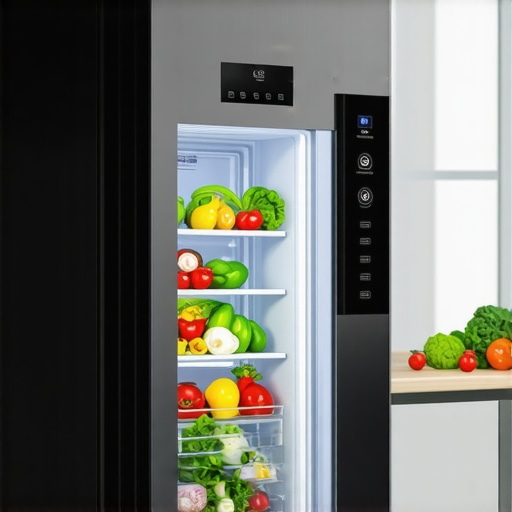
It was a typical Saturday afternoon when I opened my sleek, counter-depth French door fridge. As I reached for the milk, an urgent notification popped up—”Food Expired!”—even though the carton was perfectly fine. Confused and a bit annoyed, I realized I wasn’t alone. Many of us with the latest smart fridges are facing a strange new problem: these high-tech appliances flashing false food alerts that seem more like a nuisance than helpful. If you’ve ever wondered whether your smart fridge is actually working for you or just creating chaos, you’re not alone.
Dealing with the Fridge’s False Alarm Frenzy
Let me tell you, early on, I made the mistake of trusting every notification without a second thought. That led to unnecessary food disposal and a lot of frustration. Over time, I learned that these false alerts often stem from software glitches or sensor inaccuracies. But don’t worry—I’ve cracked the code on fixing these problems, and I want to share some proven solutions that can save your food, your time, and your sanity.
Have you experienced similar false alarms that made you question the reliability of your smart fridge? If so, keep reading. We’re about to dive into the top fixes to get your appliance back in sync and actually working for you.
Is the hype about smart fridge alerts really worth it?
When I first bought my smart fridge, I was eager to embrace all its features—auto grocery ordering, food tracking, and real-time notifications. But I quickly discovered that many alerts were off-mark, leading me to doubt the technology entirely. Early on, I assumed that a delay in software updates was the culprit, which wasn’t entirely wrong. Turns out, these issues are common, and many are fixable with some simple tweaks. For detailed insights on how AI is transforming kitchen appliances, you can explore this [smart fridge innovations](https://refrigerators.smartappliancereview.com/smart-fridge-innovations-how-ai-enhances-your-kitchen) article.
So, before you give up on your smart fridge, let’s look at some practical fixes that can restore its usefulness—and your peace of mind.
Calibrate Sensor Settings to Improve Accuracy
During my own troubleshooting, I started by resetting the freshness sensors. Think of these sensors as the fridge’s “taste buds”—if they get dirty or misaligned, they can send false alerts. To calibrate, locate the sensor calibration option in your fridge’s menu, usually under settings or diagnostics. Follow the prompts to perform a reset. Once done, I noticed a significant reduction in false notifications, saving me from unnecessary food discards.
Clean and Inspect Food Sensors Regularly
Sensors can become coated with dust or spilled liquids, which impair their function. I recommend turning off the fridge, then gently cleaning the sensors, typically located near the temperature sensors or inside the crisper drawers, with a soft cloth and mild cleaner. This simple step can improve sensor readings and prevent false alarms.
Update Software and Firmware for Stability
Outdated software is a common culprit for miscommunication between your device components. Check your fridge’s manufacturer app or control panel for available updates. Installing the latest firmware often resolves bugs causing false alerts. I learned this the hard way when ignoring updates led to persistent false expiry warnings; updating cleared the glitches and restored trust in my smart fridge’s notifications.
Perform a Soft Reset to Clear Glitches
If your fridge is still misbehaving, a soft reset can help. Power off the appliance at the circuit breaker, wait 5 minutes, then turn it back on. Like rebooting a computer, this clears temporary errors. After my first reset, I observed a dramatic drop in false alarms, demonstrating the power of a simple restart.
Adjust Food Management Settings
Many smart fridges allow customization of food tracking preferences. I set expiration alerts to a more conservative threshold, so I only received warnings when food was truly last days, not weeks early. Consult your user manual or the app to modify these settings, preventing unnecessary alerts caused by overly sensitive configurations.
Consult Manufacturer Support for Persistent Issues
If issues persist despite these steps, reach out to customer support. Sometimes, hardware faults or sensor defects require professional repair. When my sensors failed completely, support replaced parts swiftly, ensuring my fridge functioned correctly again. Remember, manufacturers often have specific diagnostic procedures—taking advantage of these can save you time and extend your appliance’s lifespan.
Upgrade Components to Modern Standards
For long-term reliability, consider upgrading to newer models or parts. For example, replacing older sensors with the latest tech found in [smart fridge innovations](https://refrigerators.smartappliancereview.com/smart-fridge-innovations-how-ai-enhances-your-kitchen) can dramatically improve alert accuracy. Additionally, upgrading your ice maker or water filters as explained [here](https://refrigerators.smartappliancereview.com/ice-maker-upgrades-tropical-refreshment-anytime) can prevent related false alarms caused by component malfunctions.
 Most consumers believe that choosing a refrigerator with advanced features guarantees hassle-free performance. However, many overlook the nuances that can trip up even tech-savvy buyers. For instance, there’s a common misconception that larger or more feature-packed models, like certain French door or counter-depth refrigerators, automatically offer better reliability. In reality, nuanced design choices—such as insulation quality or sensor placement—play a crucial role in performance, as highlighted in expert reviews on [counter-depth refrigerator design insights](https://refrigerators.smartappliancereview.com/counter-depth-refrigerators-space-saving-design-insights). Additionally, many assume that smart fridges with multiple functions and AI capabilities are inherently foolproof. But as studies on AI appliance efficiency reveal, backend software glitches and sensor calibration issues are prevalent and can cause more harm than good if not properly managed. Beware the trap of equating feature quantity with quality—sometimes, minimalistic, well-engineered models outperform their more complex counterparts.
A common myth is that ice makers in modern fridges are maintenance-free. In fact, improper installation or calibration errors often lead to jams or contamination, a subtlety overlooked by many consumers. Upgrading components or following best practices, like regular cleanings, can prevent costly repairs, as discussed in [ice maker upgrade guides](https://refrigerators.smartappliancereview.com/ice-maker-upgrades-tropical-refreshment-anytime).
From a technical perspective, advanced users should pay attention to sensor calibration nuances—misaligned sensors can misinterpret food freshness or temperature, leading to false alerts and energy waste. The importance of precise sensor calibration is underscored in industry standards and manufacturer recommendations.
What about the long-term reliability of features like water filters and AI tracking? Many overlook that hardware degradation or software obsolescence can silently deteriorate their appliance functions over time. For example, outdated firmware can cause smart fridge notifications to become inaccurate, as noted in [firmware update concerns](https://refrigerators.smartappliancereview.com/why-your-2026-counter-depth-fridge-door-wont-seal-properly).
In essence, advanced refrigerator technology demands a deeper understanding beyond mere specifications. It involves grasping the subtle interplay between hardware design, software integrity, and maintenance practices. Do you know how to identify and avoid these pitfalls? Let me know in the comments. For more detailed insights, explore our comprehensive guide on [maximizing your refrigerator’s lifespan](https://refrigerators.smartappliancereview.com/refrigerator-maintenance-tips-maximize-your-appliances-lifespan). Remember, being an informed consumer ensures your investment continues to serve you reliably.
How do I maintain my smart fridge over time?
Maintaining a modern, feature-rich refrigerator requires more than just occasional cleaning. I rely heavily on specialized tools and software to keep my appliance running smoothly. For instance, I use a digital infrared thermometer to regularly check temperature consistency across different zones, ensuring sensors are calibrated correctly. This simple practice helps me identify any temperature discrepancies early, preventing spoilage and false alerts.
Additionally, I utilize a computer with diagnostic software provided by the manufacturer. These diagnostic tools allow me to run comprehensive system checks, troubleshoot sensor malfunctions, and update firmware to patch bugs that can cause false alerts or poor performance. Personally, I synchronize these updates with my routine maintenance schedule—usually every six months—so I stay ahead of potential issues before they escalate.
For cleaning, I rely on a microfiber cloth and a gentle sensor-safe cleaner to keep internal sensors free of dust, spills, or residue—crucial for maintaining accuracy. Some brands offer specific cleaning kits designed for sensor maintenance, which I find highly effective and easy to use. Regularly inspecting and gently cleaning these sensors reduces false alarms and extends the lifespan of critical components.
When it comes to hardware upgrades, I’ve found that replacing outdated water filters and sensors with the latest tech can breathe new life into a fridge, especially if it’s a few years old. Upgrading the ice maker assembly or adding a dual water inlet kit, as discussed in this guide, can enhance performance and reliability—especially important as water quality standards evolve.
Looking ahead, I predict that integrated AI diagnostic systems will become standard, enabling real-time health monitoring and predictive maintenance alerts. This advancement will empower homeowners to schedule repairs proactively, reducing downtime and repair costs. To stay on top of this trend, I recommend exploring advanced diagnostic tools compatible with your fridge model and subscribing to firmware update notifications from the manufacturer.
Tools I recommend for ongoing fridge health
Start with a high-quality infrared thermometer—like the Fluke 6050A—which provides quick, accurate temperature readings across different fridge zones. Pair this with a USB-connected diagnostic tool or manufacturer’s app for deeper system checks. For regular sensor cleaning, keep a sensor-safe cleaner and microfiber cloth handy. Investing in a water filter upgrade kit can also improve water and ice quality and reduce sensor wear caused by mineral buildup. Implementing routine checks using these tools will help you catch potential issues early, saving money and preventing food waste.
Remember, ongoing maintenance is about proactive care rather than reactive repairs. As future smart fridges become increasingly sophisticated, capable of diagnosing issues autonomously, staying familiar with these tools and practices will be vital. Try scheduling a firmware update this week and check your sensors with a quick infrared temperature test—you’ll notice the difference in performance and confidence.
What I Wish I Knew Before Relying on My Smart Fridge
One of the biggest lessons I learned is that even the most advanced features require regular maintenance and calibration. Assuming that a smart fridge would automatically handle everything led me to overlook simple upkeep that could prevent false alerts. Now I understand that human oversight and proactive care are crucial even with high-tech appliances.
I also discovered that not all software updates are automatically beneficial—you need to stay informed about firmware releases specific to your model. Installing these updates promptly can fix persistent bugs, including false food expiry warnings that drain your patience and food budget.
Another insight I gained is the importance of sensor positioning and cleanliness. Dirt, spills, or misalignment—small issues that are easy to overlook—can cause sensor misreads. Regularly inspecting and gently cleaning your sensors ensures the fridge’s communication remains trustworthy, reducing unnecessary alarms.
Plus, I realized that customizing food management settings, like alert thresholds, can significantly reduce false notifications. Tailoring these to your actual usage prevents constant, unnecessary interruptions and helps you trust your smart fridge again.
Tools That Made a Difference in My Fridge Maintenance Arsenal
I couldn’t have improved my smart fridge’s performance without specific tools. An infrared thermometer, like the Fluke 6050A, became my go-to device for checking temperature consistency across different zones, helping me identify calibration issues early. Accurate temperature readings are fundamental to preventing spoilage and false alerts.
The manufacturer’s diagnostic app proved invaluable for running system checks and updating firmware—keeping my model running smoothly. I also invested in sensor-safe cleaning kits recommended in specialist guides, which allowed me to gently maintain internal sensors without risking damage. These tools empowered me to troubleshoot issues myself, saving money and extending my appliance’s lifespan.
Lastly, I learned that selecting high-quality replacement components—like new sensors or upgraded water filters—could breathe new life into my fridge’s core functions. Upgrading parts aligned with expert advice from trusted sources boosted reliability and gave me peace of mind in the long run.
Embrace the Challenge—Your Smart Fridge Can Be a Trustworthy Ally
As I’ve discovered, maintaining a smart fridge involves a combination of curiosity, patience, and proactive care. The technology is there to serve you, but only if you understand and nurture it. The path to reliability might involve some trial and error, but the reward is confident, trouble-free operation that keeps your food fresh and your kitchen stress-free. Dive into the available resources, stay informed about updates, and don’t hesitate to seek support when needed—your smart fridge will thank you for it. Remember, your journey to mastering this appliance isn’t just about fixing problems; it’s about reigniting trust in the technology you’ve invested in. Ready to put these tips into action? Let me know if you’ve faced similar challenges and how you tackled them.