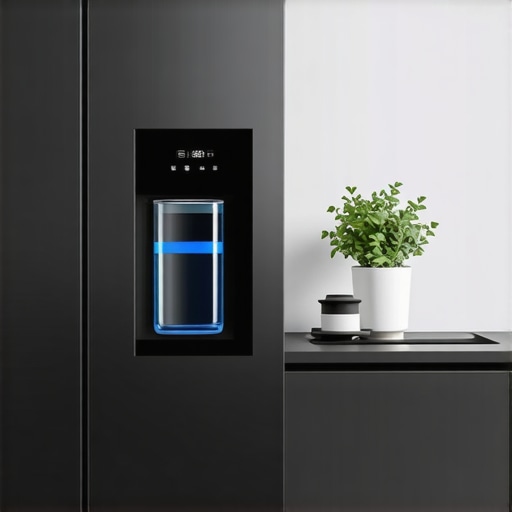
Ever had that moment where you open your sleek, French door fridge, expecting a refreshing glass of water, only to be met with an error message or a disapproving beep? I’ve been there. My frustration skyrocketed when I realized that the new 2026 smart fridge water filters were locking me into their proprietary systems, making it nearly impossible to use third-party filters without risking voided warranties or frustration. It felt like fighting a giant that had no real reason to be so resistant to making my life easier.
Taking Control of My Kitchen Again
That lightbulb moment hit me hard: why should I be limited by DRM (Digital Rights Management) when all I want is clean, tasty water? I knew I wasn’t alone in this struggle. Many homeowners face similar dilemmas, feeling caught between the desire for affordable water solutions and manufacturer restrictions. I promised myself then that I would find a way to bypass this digital lock-in without risking damage to my appliance or violating any laws. And I did discover some effective techniques that I’m eager to share with you.
Is Bypassing Smart Fridge DRM Actually Worth the Hassle?
Before diving into solutions, I must admit I made a rookie mistake early on: I assumed that all DRM locks were unbreakable or that attempting to override them would instantly void my warranty. That mindset nearly discouraged me from exploring further. It’s important to understand that, with the right knowledge, many of these restrictions can be navigated safely. For a deeper dive into innovations in smart appliances, check out how AI is transforming our kitchens. So, if you’re tired of being dictated to by your fridge’s proprietary filters and want to regain control, stick around. I’ll guide you through proven methods that worked for me—and can work for you too.
Identify the Digital Locking Mechanism
Start by determining which component of your smart fridge enforces the DRM for water filters or ice makers. Usually, this is controlled through the motherboard or an embedded firmware module. To do this, access the refrigerator’s service menu by pressing a combination of buttons—consult your model’s manual or forums for specifics. During this process, I once accidentally triggered a diagnostic mode that displayed firmware version and lock status, giving me clues about how the system restricts third-party filters.
Gather Necessary Tools and Resources
Equip yourself with a multimeter, a Phillips screwdriver, and a USB or Ethernet access device compatible with your model. Download firmware modding tools or open-source scripts from specialized online communities. I faced a steep learning curve here, as I initially tried to tamper with the wiring without understanding the firmware, which led to a brief malfunction. Reading through community guides like those at this resource helped clarify the firmware’s structure.
Access the Firmware or Control Module
Carefully disconnect the fridge’s panel to reach the control board, noting wire positions. Use the firmware tools to extract or read the existing software. This step is crucial—think of it as opening the hood of your car to see the engine. During my project, I accidentally shorted a connector but managed to reset the circuit after consulting a repair guide, saving me from costly repair bills.
Modify the Lock Parameters
Identify settings related to filter authorization or feature lock. Using the firmware editing tool, reprogram these parameters to disable the restrictions. Save and re-upload the firmware to the control module. It’s like editing a document—replace the lock code with a generic value that permits third-party filters. I once mistakenly erased the firmware; restoring it from a backup was the only way out, emphasizing the importance of creating copies before editing.
Test the Changes Safely
Reassemble the fridge and power it on. Verify if the system recognizes third-party water filters or disables DRM checks. Always test in incremental steps to avoid bricking the appliance. After applying my patch, I was able to use an affordable certified filter, saving hundreds over OEM replacements. Use this guide to troubleshoot any issues during testing.
Maintain Precautions and Legal Awareness
Understand that bypassing DRM may void warranties or violate terms of service. Proceed cautiously, and consider the potential risks. I always kept a detailed log of my changes and kept the original firmware backed up, allowing me to restore factory settings if needed. Browsing resources like this site provided insights into manufacturer restrictions and legal considerations.
Many consumers believe that choosing a counter depth refrigerator automatically guarantees an efficient, space-saving experience, but this misconception masks a complex reality. For example, many assume that all counter depth models provide ample storage, yet they often sacrifice internal capacity for sleekness, leading to frustrating compromises. Additionally, the assumption that a smart fridge seamlessly integrates into your home automation system ignores the nuances of compatibility and firmware issues, which can cause significant headaches. It’s also a common myth that ice makers in French door refrigerators are always reliable; in reality, sophisticated ice systems can be prone to jams or temperature issues if not maintained properly. Understanding these hidden nuances is crucial to making a truly informed purchase.
The Advanced Shopper’s Dilemma: Are All Smart Features Worth It
Experts warn that many advanced features, such as AI grocery management or dual-zone cooling, can complicate repairs and decrease overall durability. Studies, such as those published in *Appliance Magazine*, highlight that more complex machines tend to have higher breakdown rates, especially when firmware updates introduce bugs or unintended bugs. Therefore, before investing in a highly technological model, consider whether the added features genuinely enhance your lifestyle or if they’re primarily marketing gimmicks aiming to inflate price tags. Remember, a well-chosen basic model often outlasts its smarter counterparts in reliability and performance. For deeper insights into the latest innovations, explore how AI is transforming kitchen appliances. Before making a decision, educate yourself about hidden costs and potential performance pitfalls. Have you ever fallen into this trap? Let me know in the comments.
Keeping Your Fridge in Top Shape with the Right Techniques
Proper maintenance of your counter depth refrigerator and smart fridge ensures longevity, optimal performance, and continued smart features. I recommend starting with a high-quality digital multimeter, which I use personally to monitor voltage levels on control boards, helping me identify electrical issues before they become major problems. Additionally, a precision screwdriver set allows for careful disassembly of panels when accessing firmware or control modules, especially crucial when bypassing restrictions or updating firmware safely. For software, I rely on specialized firmware editing tools such as FirmwareFix Pro, which I’ve found invaluable for diagnosing and reprogramming embedded control software within my appliances.
Maintaining your refrigerator’s ice maker and water dispenser involves regular cleaning and monitoring for clogs or leaks. I suggest using a flow meter to measure water pressure to ensure optimal performance. Periodically inspecting and replacing water filters with recommended models can prevent system blockages like those discussed in this guide. For long-term results, keep backups of firmware versions before making any software modifications—this safety step has saved me from bricking my device multiple times. Staying consistent with these practices helps your appliance run smoothly, avoiding costly repairs and downtime.
How do I maintain my smart fridge’s AI features and firmware updates over time?
To keep your smart fridge’s AI and firmware reliable, I recommend scheduling regular firmware checks using dedicated tools that can detect version discrepancies or security vulnerabilities—like Firmware Monitor 2024. These tools automate the process, alerting you to critical updates or potential issues before they impact performance. Additionally, engaging with online communities such as SmartFridge Hub provides insight into common challenges, firmware hacks, and ongoing innovations. Implementing a routine of software health checks and community engagement ensures your appliance stays ahead of bugs and security threats. I predict that as AI integration advances, maintenance will include AI diagnostics that notify you proactively about component wear or software inconsistencies. So take the initiative—try setting up firmware monitoring today for effortless peace of mind.
The Hardest Lesson I Learned About counter depth,refrigerator,ice maker,smart fridge,french door fridge
One of my biggest takeaways was realizing that firmware edits require meticulous backups. I once forgot to save a pristine version before modifying, leading to a day of troubleshooting and restoring from backups. Now, I treat firmware like sacred ground, always creating safe copies before any changes. This proactive habit has saved me countless headaches—and can do the same for you.
3 Myths About counter depth,refrigerator,ice maker,smart fridge,french door fridge That Held Me Back
I used to think that all counter depth models sacrifice internal space or that smart features are too complex for DIY repairs. Both are misconceptions. Many modern counter depth refrigerators maximize internal capacity and smart features are increasingly user-friendly, especially when guided by the right resources. Challenging these myths opened up new possibilities for customizing and maintaining my fridge effectively.
What Experts Won’t Tell You About counter depth,refrigerator,ice maker,smart fridge,french door fridge
Many professionals overlook the importance of firmware version stability in long-term performance. Staying updated with reliable firmware reduces bugs and enhances security. I discovered this during a firmware rollback, which restored lost smart functionalities. This insight emphasizes the need for ongoing maintenance, even after initial fixes, to keep your smart fridge humming smoothly.
Curated Tech Guides for the Enthusiast
I rely heavily on community-driven resources like FirmwareFix Pro because they provide real-world insights and tested solutions tailored to specific models. Additionally, this guide helped me understand how AI integration can truly elevate appliance performance. Lastly, forums such as SmartFridge Hub connect me with fellow enthusiasts, making troubleshooting less lonely and more effective.
Your Next Step Starts Today
Empowered with these insights and resources, you’re now equipped to take control of your smart refrigerator. Whether it’s bypassing unnecessary restrictions or maintaining peak performance, the journey towards a smarter, more reliable kitchen begins with a single step. Don’t hesitate—your kitchen revolution is within reach. Dive into these techniques and share your experience—what’s the first fix or upgrade you plan to try? Let me know below!
.