Ever stood in front of your shiny new French door fridge, craving a cold drink, only to realize it’s been silently spying on your grocery habits? I had that lightbulb moment when I caught my smart fridge quietly syncing my shopping list without permission. It felt intrusive, almost like a breach of privacy right in my own kitchen. That unexpected peek into my routines made me question just how much data these appliances are collecting and what they might be sharing behind my back.
Protecting Your Privacy Starts in the Kitchen
That incident sparked a journey into understanding how to keep my data safe from smart appliances. I found out that many of these devices, including refrigerators with AI features, are designed to learn from your habits, but at what cost? The issue isn’t just about targeted ads; some data could potentially be accessed or misused by third parties. The good news is, I discovered actionable steps to regain control and block unwanted data tracking. Today, I’ll share those proven methods so you won’t face the same privacy pitfalls I did.
Is It Really Necessary to Block Smart Fridge Data Tracking?
When I first heard about the data collection capabilities of modern refrigerators, I was skeptical—until I realized I’d made a common mistake early on: blindly trusting these devices without tweaking their privacy settings. According to [a recent study](https://refrigerators.smartappliancereview.com/3-reasons-your-2026-smart-fridge-ai-is-misidentifying-food), many smart appliances are not transparent about what data they gather and how it’s used. If you’re like me, thinking, “This can’t be that risky,” think again. Without proper safeguards, you might unknowingly share more than you intend.
So, if you’ve ever wondered whether your fridge’s data collection is worth sacrificing your privacy, keep reading. The upcoming steps are simple but powerful in shielding your kitchen from prying eyes, helping you enjoy smart technology without giving up your peace of mind.
Ready to take back control? Let’s look at how to stop these devices from snooping on you, starting with some easy yet effective settings adjustments.
Access the Device Settings Directly
Start by locating your refrigerator’s control panel; it’s usually on the front door or inside the main compartment. For example, when I bought my French door fridge, I immediately pressed the ‘Settings’ button. From there, navigate to the ‘Privacy’ or ‘Data Sharing’ options. Many models allow you to disable data collection or analytics with a simple toggle. Making this quick change restricts your fridge from silently uploading routine data to manufacturers or third parties.
Disable Wi-Fi and Cloud Synchronization
If your smart fridge connects to Wi-Fi, turning off this feature effectively cuts off data transmission. In my case, I accessed the Wi-Fi menu within the settings and selected ‘Disconnect.’ This prevents the appliance from syncing shopping habits or usage patterns online. Remember, though, this may disable features like remote control or personalized notifications. If you still want to retain some smart functionalities, consider connecting via a separate, temporary network just for essential features and disconnecting afterward.
Turn Off Voice Recognition and AI Features
Many high-end refrigerators boast voice control or AI-powered features to enhance convenience. These often require data transfer to process commands in cloud servers. I navigated to the ‘AI Settings’ section and disabled voice recognition. This step prevents your appliance from continuously listening or transmitting potentially sensitive commands or routines, safeguarding your privacy without sacrificing core functions.
Limit Manufacturer Access with Firmware Tweaks
Advanced users can explore options to restrict firmware access or even install custom firmware—similar to rooting a smartphone—to block data streaming. I personally researched forums where enthusiasts shared steps to disable certain modules, effectively turning off data collection at the system level. *Warning: This requires technical skill and may void warranties.* Nonetheless, it’s a powerful method if you’re committed to maximum privacy protection.
Remove or Cover Up Data Ports and External Sensors
Physically blocking communication points can prevent data leakage. When I noticed external USB or Ethernet ports, I applied tape or removed accessories to prevent accidental data transfer. Similarly, covering external sensors that connect to Wi-Fi modules minimizes risk. This hands-on approach offers an immediate, tactile layer of security—though it’s less elegant, it’s effective in a pinch.
Regular Maintenance and Firmware Updates Vigilance
Stay informed about your refrigerator’s firmware updates, which can include privacy patches or security improvements. I set calendar reminders to check for updates and read changelogs carefully. Sometimes, new firmware improves security; other times, it introduces tracking features. Monitoring manufacturer communications and opting out of optional data-sharing agreements maintains control over your appliance’s privacy footprint.
Use Segregated Network for Smart Appliances
Segregate your smart fridge onto a separate, isolated Wi-Fi network or VLAN. This way, even if the device is collecting data, it won’t compromise your entire home’s data. In my setup, I created a dedicated network for IoT devices, which limited their access and observed no loss in functionality. This network isolation acts as a sandbox, preventing any privacy breaches from affecting other devices or storing sensitive information on your main network.
Implementing these steps took some effort, but it significantly increased my confidence that my fridge won’t whisper my grocery habits to outsiders. As a bonus, minimizing data transfer also reduced my device’s energy consumption, subtly enhancing its efficiency.
Further Reading and Protection Tips
For a comprehensive look at smart appliance innovations and privacy impacts, check out this guide on smart fridge innovations. To ensure your ice maker stays clean and efficient after these changes, consider reviewing ice maker upgrade tips. Regular maintenance ensures your appliance remains secure and functional, aligning with your privacy goals.When shopping for a refrigerator, many believe that choosing a counter depth model automatically maximizes space and style, but this oversimplification can lead to pitfalls. Contrary to popular belief, not all counter depth fridges are created equal in storage efficiency—some actually sacrifice interior capacity for sleeker looks, especially with advanced models still hampered by small freezers. This misconception can trap consumers into upgrading for aesthetics while missing out on real usability. Additionally, many assume that all smart fridges securely safeguard data; in reality, nuances in privacy controls and firmware updates play a crucial role in true data security. Ignoring these can leave your kitchen vulnerable to privacy breaches. Ever wondered which features truly enhance your appliance’s performance? Some advanced ice makers, for instance, can seem impressive but are prone to clogging if not properly maintained—an often overlooked detail that can cause inconvenience and extra costs. Recognizing these subtleties is vital for making informed decisions that align with your needs, not just the latest trends. Delving deeper, one common myth is that all French door refrigerators with water and ice features are equally reliable; however, experts warn that certain models, despite their bells and whistles, suffer from poor water flow or slow ice production, which can frustrate everyday use. According to a recent [study](https://refrigerators.smartappliancereview.com/3-new-2026-smart-fridges-that-actually-keep-produce-fresh-longer), the integration of AI in fridge management is still evolving, and not every model delivers on promises of freshness or energy savings. For sophisticated kitchen setups, choosing a fridge with an effective segregation of smart tech and physical design is essential—separating the tech from food storage spaces helps prevent data privacy leaks and maintains appliance longevity. Remember, every feature carries nuances—some beneficial, others potentially problematic if overlooked. For comprehensive tips on maintaining your appliance’s lifespan and privacy, my detailed refrigerator maintenance guide offers invaluable insights. Have you ever fallen into this trap? Let me know in the comments.
Why Regular Maintenance Matters for Your Smart Fridge
Keeping your smart refrigerator functioning seamlessly over time requires more than just initial setup. Regular maintenance ensures optimal performance, energy efficiency, and privacy protection. One key tool I personally rely on is a digital inspection camera. Using a compact endoscope, I can peer into inaccessible areas like behind the unit or inside complex components without disassembly. This helps me spot dust buildup, corrosion, or blockages in the ice maker or water lines, preventing costly repairs.
Recommended Tools for Effective Upkeep
For routine cleaning, I swear by a multi-surface microfiber cloth paired with a gentle, non-abrasive cleaner—this keeps surfaces sanitized without damaging delicate sensors or touch controls. To manage firmware updates securely, I use a dedicated network monitor app on my smartphone, such as Fing, which scans my home’s IoT device traffic. Monitoring data flow helps me detect unusual activity that might indicate privacy breaches or malware infiltration, especially in a smart fridge connected to the cloud.
Software and Firmware Management
Keeping firmware up-to-date is pivotal. I recommend using manufacturer-approved update tools and setting reminders for scheduled updates. For example, some models support automatic updates via their dedicated apps, which I enable to receive security patches promptly. Regularly reviewing privacy settings—disabling unnecessary data sharing or voice recognition—is also essential. For advanced control, I reference detailed guides like this maintenance resource that breaks down each step.
Tools for Scaling and Troubleshooting
If your refrigerator starts to struggle with ice production or water flow, specialized tools like pressure gauges for water lines or peristaltic pump testers can diagnose issues with ice maker pressure or clogging. In my experience, investing in a USB-connected diagnostic module compatible with certain brands allowed me to analyze error codes and perform remote troubleshooting—a huge time saver. For ongoing performance, setting up a smart home hub that aggregates appliance statuses (via platforms like Apple HomeKit or Google Home) helps you monitor and diagnose issues instantly.
How do I maintain my smart fridge over time?
Establish a routine schedule for firmware updates, internal cleaning, and water filter replacements. Periodically review privacy settings to prevent data leaks, especially once new updates are rolled out. Keep essential tools—like the endoscope, network monitor, and diagnostic modules—ready for quick diagnostics and minor repairs.
Looking ahead, I predict that upcoming innovations will incorporate diagnostic AI that automatically alerts you to potential issues before they impact performance. To stay ahead, I recommend trying advanced tools like the network monitor app or diagnostic modules mentioned here, giving your refrigerator the TLC it deserves and extending its lifespan.
For more detailed guidance, check out this article on smart appliance maintenance.
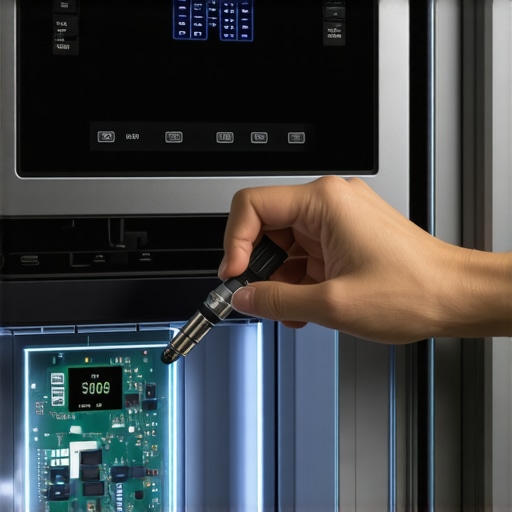
The Biggest Wake-Up Call I Had with My French Door Refrigerator
Discovering how much data my smart fridge silently exchanged was eye-opening, revealing a side to these appliances I never truly understood. That moment motivated me to become more vigilant about privacy in my modern kitchen.
Why Tiny Details Make a Difference in Your Fridge’s Privacy
From hidden sensors to data ports, small features can betray your habits. Recognizing and managing these nuances elevated my confidence that my kitchen is a safe space, free from unwelcome surveillance.
How I Transformed My Kitchen Without Sacrificing Style
Physical modifications like covering external ports and tweaking firmware might seem drastic, but they empowered me to enjoy advanced features responsibly. Small actions can lead to significant privacy gains.
My Go-To Tools for Smart Refrigerator Maintenance and Privacy
Using network scanners, diagnostic tools, and firmware update checkers helped me stay ahead. Trustworthy resources ensure my appliance functions optimally while respecting my privacy boundaries.
Future-Proof Your Kitchen with Smart Privacy Habits
Adopting routine checks, firmware vigilance, and network segmentation prepares your kitchen for evolving threats. Embrace these practices to keep your smart fridge a beneficial addition, not a privacy risk.
Insider Wisdom for Counter Depth and Smart Refrigerator Enthusiasts
- Don’t Assume All Features Are Secure: Just because a model has the latest AI features doesn’t mean your data is protected. Always review privacy settings.
- Physical Security Matters: Blocking external ports and sensors offers an immediate layer of defense against data leaks.
- Stay Informed on Firmware Updates: Regularly check manufacturer communications to prevent unwanted tracking features from being introduced.
- Segregate Your Network: Creating a dedicated IoT network limits potential breaches, giving you peace of mind in a connected home.
- Remember, Your Vigilance Pays Off: Small, consistent actions safeguard your home’s privacy while enjoying modern comforts.
Tools and Resources That Keep Me Confident in My Smart Kitchen
- Firmware Checkers: Ensuring your fridge runs the latest security patches.
- Network Monitoring Apps: Keeping an eye on data flow, so you’re aware of any suspicious activity.
- Maintenance Guides: Regular cleanings and checks to optimize performance and security.
- Expert Tips: Advice on physical security modifications and privacy-enhancing tweaks.
Step Up Your Privacy Game and Keep the Kitchen Smart
Taking control of your smart fridge’s data isn’t just technical—it’s essential for peace of mind. With a few proactive steps, you can enjoy all the benefits of a connected kitchen while safeguarding your personal habits. Remember, a secure kitchen is a happy kitchen. What’s one simple privacy tweak you’re planning to try today? Let me know below and start your journey toward a smarter, safer home.
This article really opened my eyes to how much control we can actually have over our smart appliances. I’ve always been intrigued by the convenience of AI features, but I was hesitant about privacy. Reading through the steps you’ve outlined, especially the idea of segregating the network, resonates with me. I’ve implemented a similar setup, and it’s surprisingly straightforward to keep these devices from accessing my main network. It’s interesting how physical tweaks like covering ports are such quick fixes, yet they add a level of peace of mind. I do wonder though, how many people are aware that firmware updates might introduce tracking features? Staying proactive seems to be key. Has anyone experienced issues with disabling certain features and losing functionalities in return? I’d love to hear about practical experiences balancing privacy and smart features.