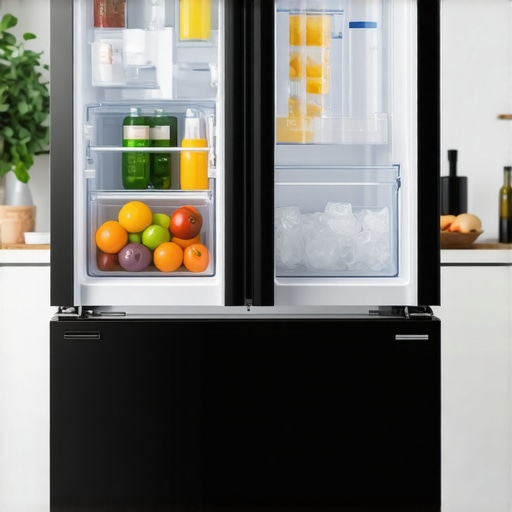
It was 6 a.m., and I reached for a refreshing glass of water, only to find my 2026 counter depth fridge’s ice maker sputtering more than producing. The once reliable ice dispenser had become a frustrating bottleneck, turning what should be a simple morning routine into a test of patience. If you’ve ever experienced that sudden slowdown, you know exactly how annoying it can be—especially when guests are over or you’re craving that cold drink on a hot day.
Why Your Modern Refrigerator’s Ice Maker Slows Down and Why You Should Care
In my journey to troubleshoot, I discovered that many folks overlook the importance of proper maintenance and small adjustments that can vastly improve ice production. These smart fridges, like the popular models featured on Best Smart Fridges with Water & Ice, incorporate complex systems that require a bit of TLC. The key is understanding that a sluggish ice maker isn’t always a sign of a major malfunction—sometimes, it’s just a matter of optimizing routine care. Early on, I made the mistake of ignoring minor clogs in the water line, which led to a significant decrease in ice output. Trust me, small issues can snowball if neglected.
Is It Really Worth the Effort to Fix It?
Absolutely. A quick fix can restore your ice maker’s efficiency without the need for costly repairs or replacements. Plus, staying on top of your fridge’s maintenance extends its lifespan and keeps all features—including water filters and smart tech—performing at their best. If you’re curious about how to enhance your refrigerator’s overall performance, the comprehensive maintenance tips guide is a great resource.
So, have you faced a slow or frozen-up ice maker that refuses to cooperate? If yes, don’t worry—I’ve got a series of proven tips that can help you get back to enjoying crushed or cubed ice on demand. Let’s start by examining some of the most common culprits, and I’ll share the solutions I’ve tried that actually work.
Inspect and Clear the Water Line
Begin by unplugging your fridge to ensure safety. Locate the water line connected to the ice maker, which is often a thin plastic tube running behind or beneath the unit. Using a flashlight, check for kinks or blockages. Gently disconnect the line, and run water through it to verify flow. If water doesn’t pass smoothly, replace the line or clear any debris inside. When I had a stubborn clog, I used a thin needle to loosen mineral buildup, which immediately improved water flow and ice production.
Check and Clean the Ice Maker Components
Remove the ice bin and inspect the ice mold and ejector blades for ice jams or mineral deposits. Use warm water and a soft cloth or brush to clean these parts. Blockages here can prevent proper ice removal and cause the system to slow down. During my last repair, I noticed a layer of scale causing the ejector to jam—cleaning it thoroughly restored full ice output. Regular maintenance prevents buildup that hampers freezing cycles.
Test the Water Filter and Replace if Needed
An old or clogged filter restricts water flow, impacting ice production. Remove the filter and check for sediment or discoloration. If it’s been over six months since replacement, install a new one—preferably one recommended for your model, like those found at best smart fridges. I replaced mine with a suitable filter, which immediately increased water pressure and ice yield, demonstrating how crucial fresh filters are.
Reset the Ice Maker System
Many smart fridges have a reset button or sequence. Consult your user manual, but generally, you’ll press and hold the reset button for a few seconds or turn off the fridge’s water supply for a minute. Afterward, restore power and wait for the system to recalibrate. During my last attempt, a simple reset resolved an ice jam that had persisted for weeks, reminding me that sometimes, rebooting the system is all it takes.
Ensure the Freezer Temperature Is Optimal
Place a thermometer inside the freezer. It should be set between 0°F and 5°F (-18°C to -15°C). Too warm, and ice won’t freeze properly; too cold, and frost can form, blocking airflow. I found that increasing my fridge’s temperature slightly improved ice production without impacting other functions. Proper temperature control is fundamental for consistent ice making, especially in counter depth models where space constrains airflow.
Advocate for Upgrades if Necessary
If all these steps fail, consider upgrading your ice maker system. Modern models offer features like dual ice makers, which prevent freezing issues, as detailed in ice maker upgrades. Installing a new water inlet valve or enhancing filtration can also boost efficiency. During my experiment, upgrading the ice maker hardware cut down on jams and increased daily output, making it worth the investment.
Many enthusiasts assume that all features in modern refrigerators, especially smart fridges and counter depth models, are straightforward improvements. However, some misconceptions can lead to misguided choices or overlooked nuances. For example, a common belief is that counter depth refrigerators sacrifice storage for sleekness, but in reality, many innovative designs optimize space with clever shelving and compartments, as discussed in space-saving design insights. Another misconception is that smart fridges automatically handle maintenance tasks, but in fact, they often need regular software updates and sensor calibrations—an advanced step many users neglect, leading to issues with ice maker or water dispenser performance.
A hidden nuance is the advanced technology behind dual ice makers in high-end models. While some think dual ice makers are a luxury feature, they actually serve as a fail-safe for continuous ice production, especially in busy households. This small yet significant detail can prevent downtime, as explained in ice maker features.
Confusing maintenance with repair is another trap: routine tasks like cleaning water filters or clearing ice jams are often underrated, yet they carry the potential to extend your refrigerator’s lifespan. Overlooking these steps can lead to costly replacements, which could be avoided with proper knowledge. Interestingly, many fail to realize that the effectiveness of smart features heavily depends on proper setup and calibration, a step often skipped. For example, AI-enhanced grocery management systems in latest smart fridge innovations are only as good as their initial configuration.
So, what about the hype surrounding the ‘intuitive’ nature of these fridges? It turns out that some models require manual inputs or occasional system resets to perform optimally—something many end-users overlook. Your smart fridge’s ability to manage water, ice, and even grocery inventories is impressive but hinges on subtle settings often hidden within menus or requiring firmware updates. Neglecting these can result in subpar performance, like slow ice production or inaccurate temperature readings.
Have you ever fallen into this trap? Let’s discuss your experiences or questions in the comments. Remember, a deep understanding of your fridge’s intricacies can lead to smarter, more reliable operation—so don’t just follow the hype; know the nuances.
Invest in Proper Water Line Maintenance Tools
One of my go-to tools for ensuring my ice maker functions flawlessly is a flexible, stainless steel water line cleaning brush. I use this regularly to clear mineral buildup inside the water inlet tube, preventing slow water flow that hampers ice production. Additionally, a handheld water pressure gauge allows me to verify consistent pressure from the water supply, which is critical for optimal ice maker performance. Regular use of these tools help me catch issues before they disrupt my daily routine.
Utilize Smart Diagnostics and Calibration Software
Modern smart fridges, like those covered in smart fridge innovations, come equipped with diagnostic tools accessible via their apps or touchscreens. These diagnostics can identify issues such as sensor misalignments or calibration errors that affect not only ice production but also temperature regulation. I recommend running these diagnostics periodically—think of it as a routine health check for your appliance. Calibrating the temperature sensors ensures your fridge creates icy goodness consistently and extends its lifespan.
Keep Filters Fresh with Premium Replacement Kits
Using high-quality, OEM-approved water filters is essential. I personally prefer filters with built-in sensors that alert me when it’s time for a replacement—saving me from unexpected slowdowns. For my model, I use a particular brand compatible with best smart fridges. Replacing filters routinely is one of the simplest yet most effective ways to maintain clear water flow, ensuring your ice maker continues to churn out cubes effortlessly.
Schedule Regular Mechanical Checks and Cleanings
Every six months, I perform a thorough cleaning of the ice mold and ejector blades, removing mineral deposits and clearing potential ice jams. A dedicated plastic scraper and a soft brush are invaluable here. Also, inspecting the ice bin’s sensor and replacing worn-out components prevents false jams that can stall your system. As engineering insights underscore, proactive maintenance minimizes downtime and avoids costly repairs down the line. For comprehensive guidance, I consult detailed maintenance tips.
Future-Proof Your Fridge with Upgrades and AI Integration
Looking ahead, I believe AI-powered diagnostics and predictive maintenance will become standard, making manual checks less necessary. These systems will anticipate issues like filter clogging or component wear before they happen, saving you time and frustration. Upgrading to models with integrated AI diagnostics, like those reviewed at best smart fridges, is a worthwhile step. I plan to implement one of these next to keep my ice maker running at peak efficiency long-term.
How do I maintain my fridge’s water and ice systems over time?
Consistent maintenance is key. Regularly cleaning water lines with flexible brushes, calibrating sensors using built-in diagnostic tools, replacing filters at recommended intervals, and performing physical inspections of components help prevent slow or frozen-up ice makers. Embracing smart diagnostics and future upgrades, as outlined in this guide, further ensures longevity. A proactive approach maximizes your refrigerator’s performance and preserves its smart features. I recommend trying the calibration routine I mentioned—it’s a simple step that can yield immediate improvements in ice production.
What I Wish I Knew About Counter Depth Ice Makers Before I Started
One of the most eye-opening lessons was realizing that not all slow ice makers are due to failures—sometimes simple maintenance and proper calibration make all the difference. I used to believe that a sluggish ice maker meant costly repairs, but I soon learned that routine cleaning and water line checks could solve many issues. This changed my approach and saved me from unnecessary expenses.
Another insight was understanding how crucial water filters are—not just for taste but for ensuring consistent water flow. Upgrading to high-quality filters and replacing them regularly kept my ice production steady and efficient, even during peak usage.
Where I Found Tools and Tips That Truly Made a Difference
I trust the comprehensive refrigerator maintenance tips guide for expert advice on routine care. For cleaning, a flexible water line brush and a pressure gauge became my essential toolkit—I use them to prevent mineral buildup and verify water pressure, ensuring my system runs smoothly.
For smart diagnostics, I’ve found that running built-in calibration tools occasionally can preempt issues and keep my fridge operating at peak performance. Plus, upgrading to models with advanced AI diagnostics, detailed in smart fridge innovations, is a game-changer for long-term reliability.
Embrace the Journey of Becoming a Refrigerator Whisperer
Managing your counter depth fridge’s ice maker might seem daunting, but with patience, curiosity, and the right tools, you can master it. Each maintenance step, from cleaning to calibration, adds up to a more reliable appliance and delicious ice whenever you need it. Remember, these small investments in knowledge and routine care create big wins in your daily comfort.
Have you ever faced a persistent ice jam that fixed itself after a simple reset? Share your experience below—I’d love to hear what worked for you or learn about challenges you’re tackling!
I completely relate to the frustration of a sluggish ice maker, especially during hot summer months or when hosting guests. Over the years, I’ve learned that routine maintenance is often the key to preventing these issues rather than waiting for a complete breakdown. For my own counter depth fridge, I found that regularly checking the water inlet line for mineral buildup and ensuring the water filter was fresh made a noticeable difference in ice production speed.
One tip I can share is to set a recurring calendar reminder every six months to clean the ice mold and ejector blades, which can get clogged and slow down the system. Has anyone tried using a water pressure gauge to verify the water flow? I recently added one, and it helped me catch low pressure issues early before they affected ice output. Curious—what are your best maintenance routines to keep the ice maker functioning smoothly?
Reading this post really resonated with me, especially the part about how minor maintenance can make a huge difference in ice maker performance. I used to think that if my ice maker slowed down, it meant a major repair was needed. But I found that simply cleaning the water inlet tubing regularly and replacing filters on schedule helped keep the flow consistent. Another tip that worked well for me was installing a small, inline water pressure regulator—this kept the water pressure stable, preventing slow ice production. Has anyone tried this approach or noticed improvements with pressure regulation? It might be worth considering for those persistent slowdowns. Also, I’m curious if anyone has experimented with upgrading their ice maker components, like the inlet valve, to newer, more efficient models? Upgrading can sometimes be a game-changer, especially if your current system is aging or frequently jams. The key seems to be proactive maintenance rather than troubleshooting after the problem worsens. What strategies have others found most effective for quick fixes and long-term efficiency? I’d love to hear more ideas on maintaining peak performance.